
Connect your Polar account to Revone and easily monitor your orders, subscriptions, and revenue in one unified dashboard. See how your business is performing at a glance and keep track of everything without leaving your workflow.
Connect your Polar account and see your orders, subscriptions, and revenue in one place.
To connect Polar, you’ll need two things:
your Organization ID
an Organization Access Token
Polar uses Organization Access Tokens for API access, and they are sent with API requests as a Bearer token. The token should be created from your organization settings.
Step 1 — Open Polar settings
Go to your Polar dashboard
In the left sidebar, open Settings
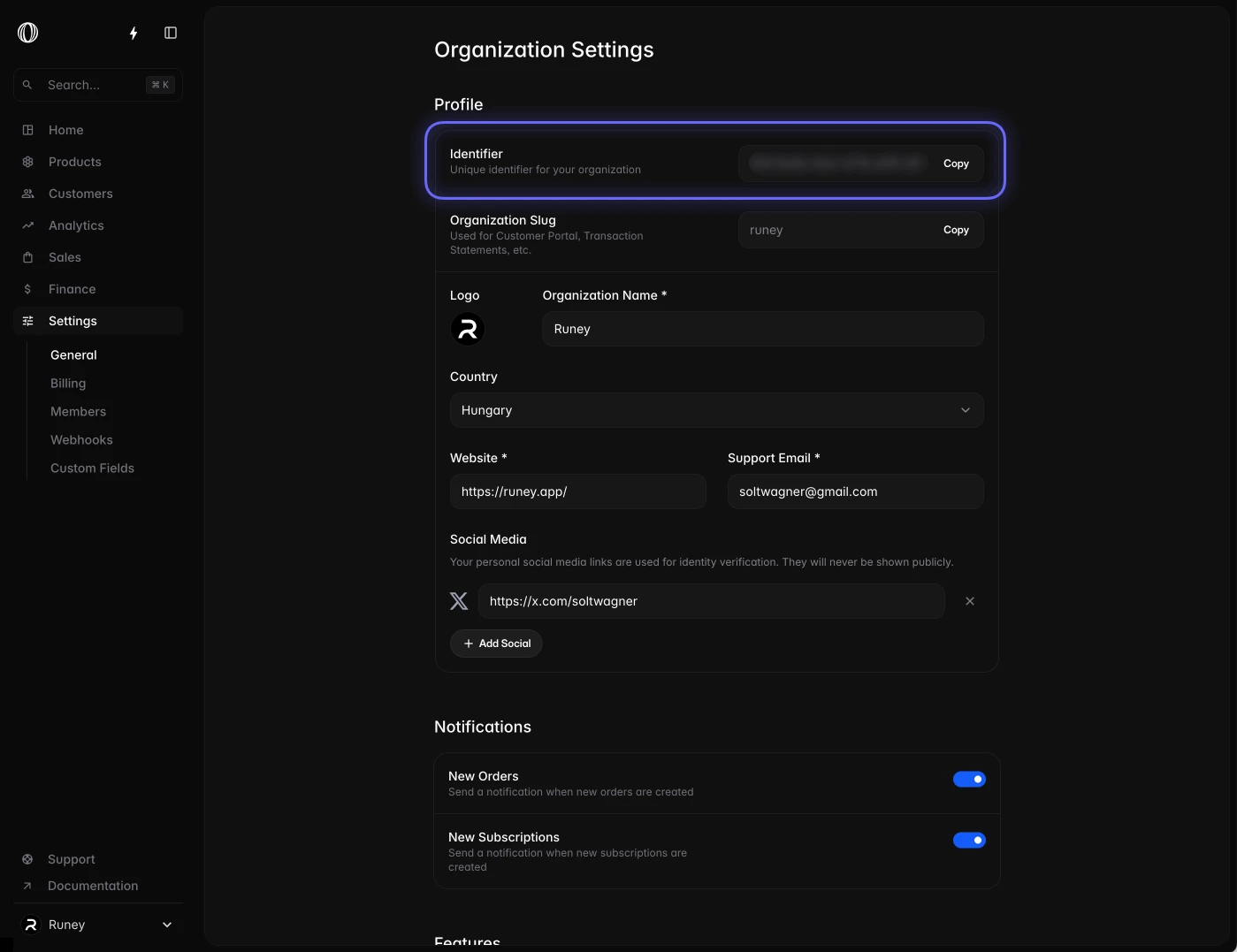
Step 2 — Copy your Organization ID
In Settings, look near the top profile / organization area
Find your Identifier
Copy this value — this is your Organization ID
Paste it into Revone
Polar’s API also uses organization_id as a filter for subscriptions and organization-related requests.
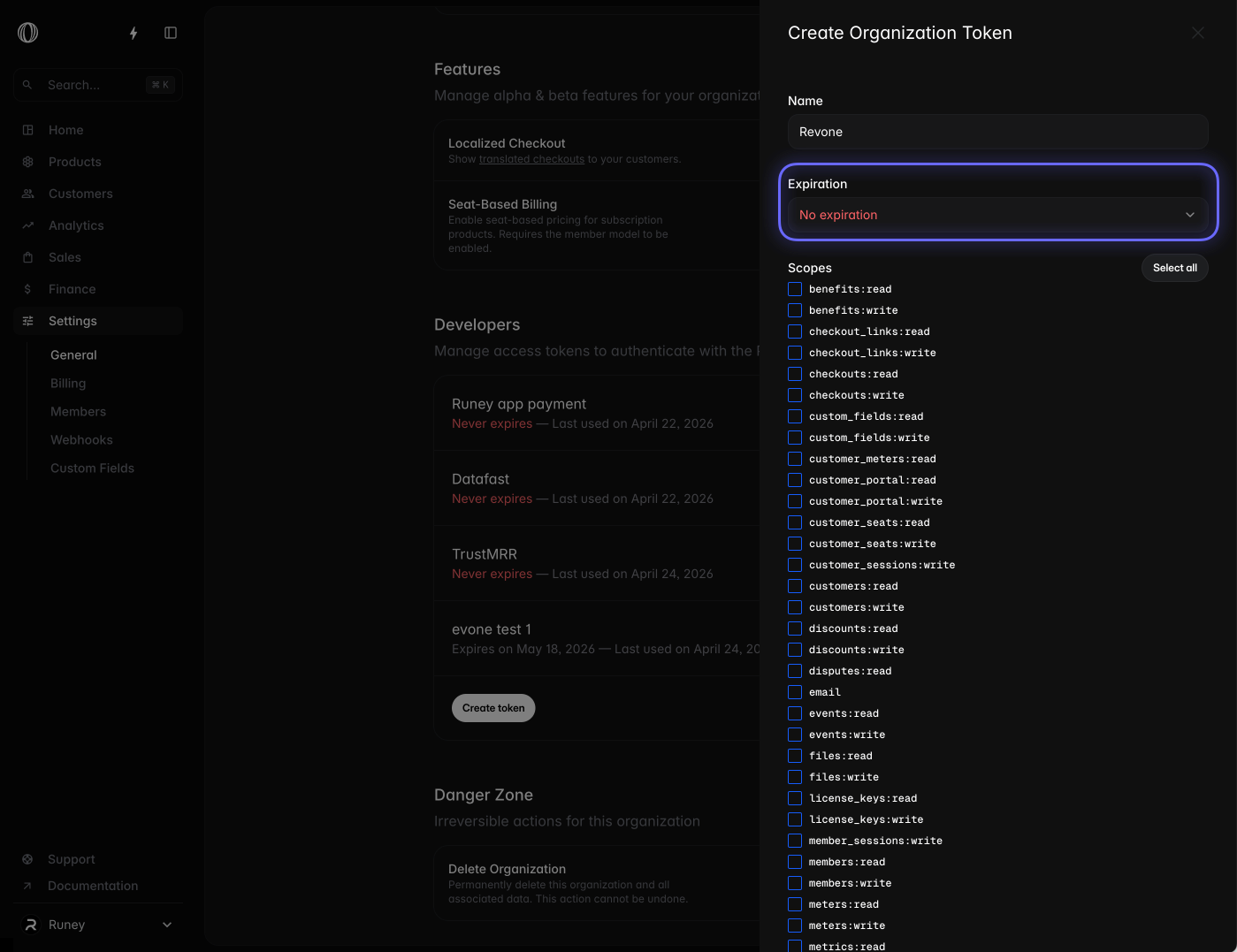
Step 3 — Create an access token
Scroll down to the Developers section
Click Create Token or New Token
Enter a token name, for example:
RevoneSet expiration to No expiration if available
Recommended, so you don’t need to reconnect Revone later
Select these scopes:
orders:readorganizations:readsubscriptions:read
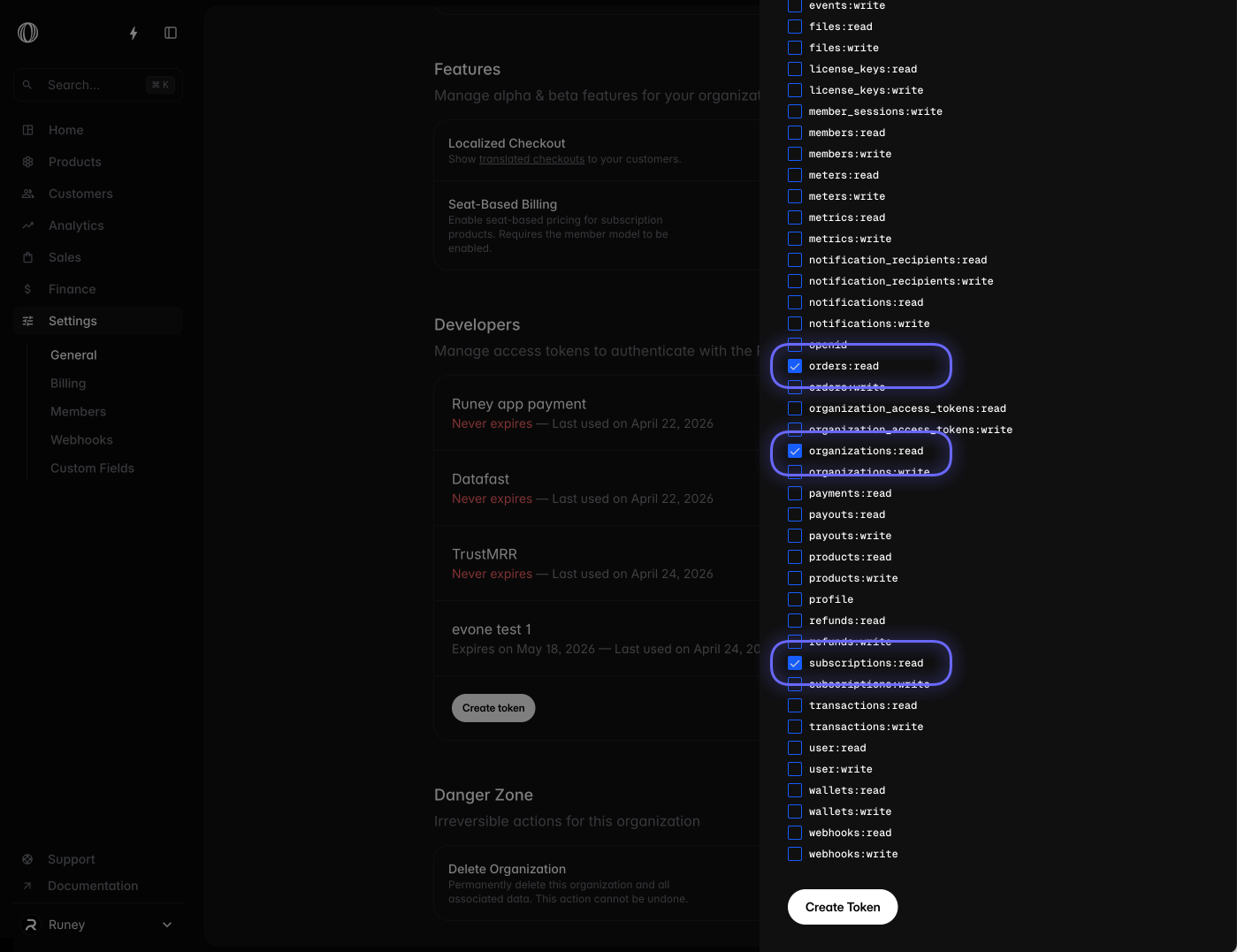
Polar’s docs mention creating tokens from organization settings, choosing an expiration date, and selecting the required scopes. Orders and subscriptions endpoints require read scopes such as orders:read and subscriptions:read.
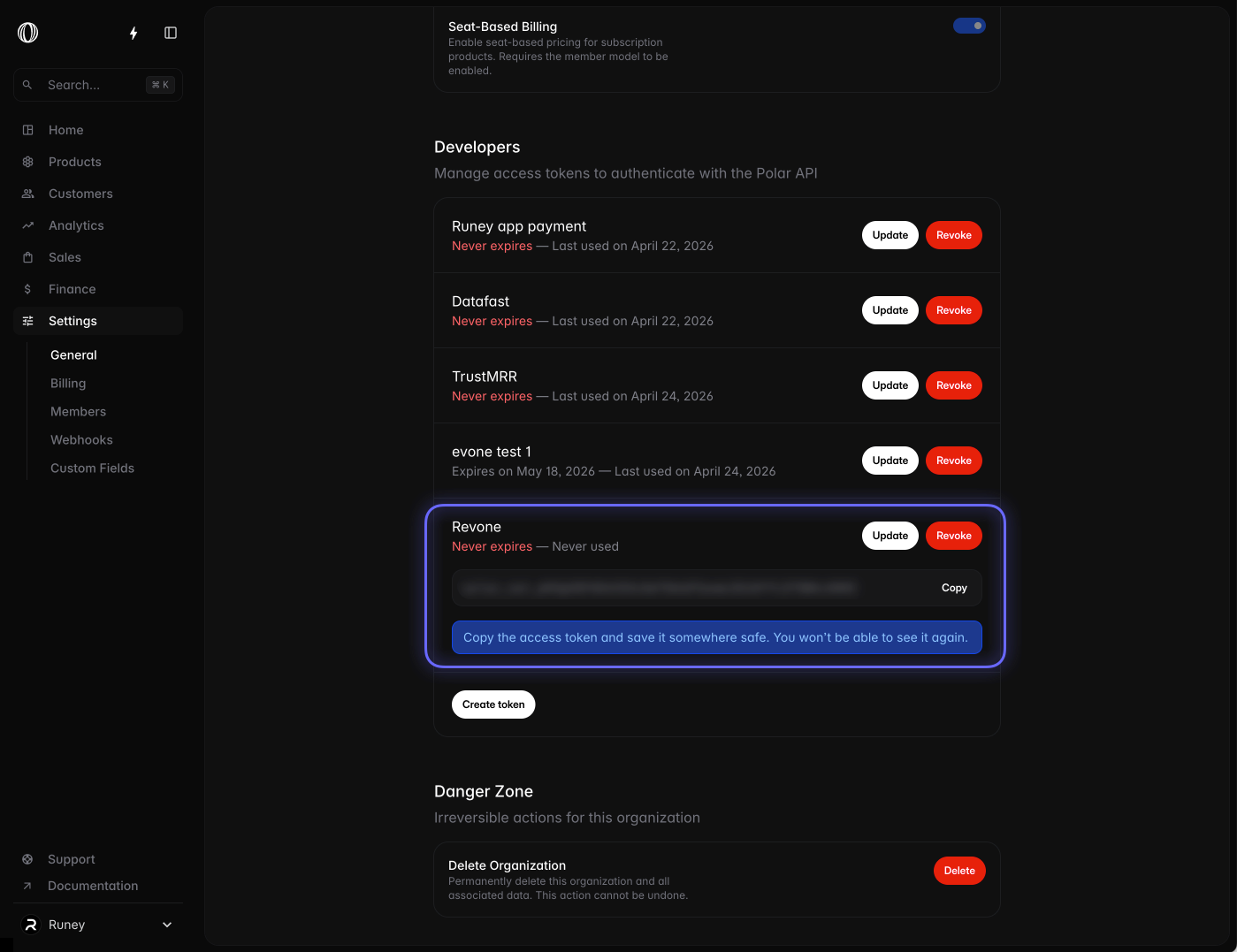
Step 4 — Copy the token
After creating the token:
Copy the generated token
Open Revone
Paste the token into the Polar connection form
Click Connect
Security note
Your Polar token is stored securely in your macOS Keychain and never sent to Revone servers. Revone only uses it to read your organization, orders, and subscriptions.